Introduction
For industrial control cabinets Axial Fan , heat is the silent killer of sensitive electronics. At the heart of most thermal management systems lies the humble Industrial Axial Fan. It is the first line of defense against overheating, ensuring your VFDs, PLCs, and servers operate without interruption.
However, for many engineers and maintenance teams, these fans can be a source of frustration. From unexplained noise and blades that refuse to spin, to confusion over Label vs. Catalog specifications, the issues are often subtle but costly.
This guide is your comprehensive troubleshooting manual. We will move beyond the basics to cover mechanical fault diagnosis, decode complex specifications for the F2E and LZ series, and explain critical protection standards like UL Certification and IP Ratings. Whether you are retrofitting an old cabinet or debugging a new install, this guide has the answers.
1. Axial Fan Common Mechanical & Installation Faults
When a fan fails, it’s rarely a manufacturing defect; more often, it is an installation variable. Here is how to troubleshoot the most frequent mechanical issues.
Fan Blade Issues: Why is it Not Spinning?
If you power up the unit and find the fan not spinning, do not immediately condemn the motor. First, check the physical clearance.
- Case Deformation: Overtightening the mounting screws can warp the fan housing slightly. This deformation causes the blade tips to press against the frame or the finger guard.
- Scraping Sounds: If you hear Noise/Scraping immediately upon startup, loosen the mounting screws slightly. If the noise stops, the frame was distorted by uneven torque.
Noise & Vibration: Bearing vs. Mounting
Abnormal sound is the best indicator of health.
- Bearing Wear: A high-pitched screech usually indicates ball bearing failure, often due to end-of-life or heat stress.
- Resonance: A low-frequency hum often means the fan is vibrating against the cabinet panel. Ensure you are using rubber gaskets or washers to dampen vibration.
Wiring & Terminals: Preventing “Stripped Screws”
A common pain point during installation is damaging the terminal block.
- Stripped Screws: When securing wires, use the correct torque. Overtightening causes stripped screws (slipping threads) in the plastic terminal housing, leading to loose connections and arcing.
- Busbar Safety: When connecting to a main busbar, ensure the fan is not subjected to voltage spikes that exceed its rated tolerance.
Environment Check: The Cause of Rust
Seeing rust on the bearing shield or rotor? This is a sign of an environment mismatch. Standard fans are not designed for high-humidity washdown areas. If rust appears quickly, you may need to upgrade to a fan with a higher IP rating or add a cabinet heater to prevent condensation when the fan is off.
2. Axial Fan Decoding Specs: Label vs. Catalog
One of the most confusing aspects for buyers is the discrepancy between the paper catalog and the physical product.
The Discrepancy: Label vs. Catalog
You might notice the Rated Current on the physical fan label differs slightly from the marketing Catalog.
- Why? Catalogs often list “nominal” or average values across a voltage range (e.g., 220V-240V), whereas the label is specific to the test standard of that specific production batch. Always prioritize the label data for circuit breaker sizing.
Air Flow Reality
Air Flow is the most misunderstood metric.
- Free Air vs. Impedance: The CFM (Cubic Feet per Minute) listed on the box is “Free Air” (zero static pressure). Once you install the fan behind a filter or inside a crowded cabinet, the actual airflow drops significantly. Always oversize your fan by 20-30% to account for this pressure drop.
Key Series Specs: F2E vs. LZ
Understanding your model numbers is crucial for replacement:
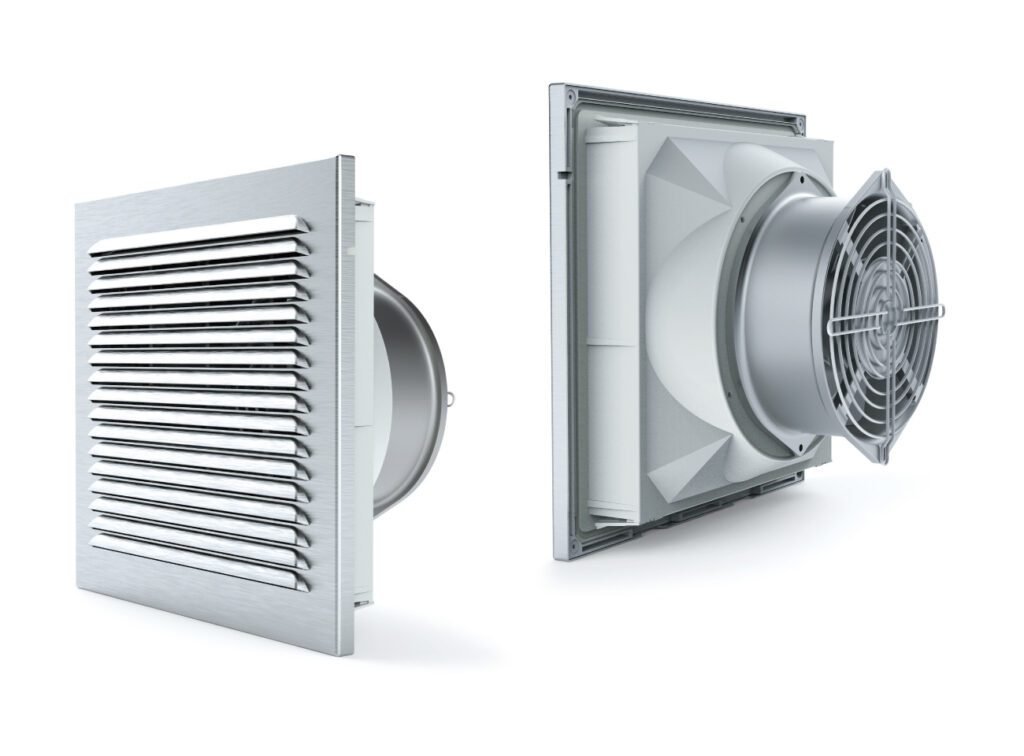
- F2E Series: Typically refers to the standalone axial fan motors (e.g., pure metal fans).
- LZ Series: Often designates the complete fan-and-filter package. When ordering parts, know if you need just the motor (F2E) or the full assembly (LZ).
3. Axial Fan Model Differences & Retrofitting
Technology evolves, and so do fan designs. Replacing a 10-year-old fan with a modern equivalent requires a keen eye.
Version Evolution: New vs. Old
Popular models like the F2E-200B or F2E-120S have undergone updates.
- Performance: Newer versions often feature optimized windings for lower power consumption while maintaining the same airflow.
- Difference: While the mounting dimensions usually stay standard, the depth (thickness) of the fan may vary slightly. Always check the depth clearance inside your cabinet.
Visual ID: Round vs. Square
How do you identify a vintage model without a label? Look at the inlet shape:
- Round vs. Square: Older generations of certain fan housings might use a square inlet design, while newer, more aerodynamic versions favor a round inlet to reduce turbulence. This visual cue helps identify the “generation” of the fan.
Retrofit Tips
When an old model is discontinued, fear not. The industry standardizes “cut-out” dimensions. As long as the square hole cut into your metal cabinet matches the new filter’s requirements, you can retrofit a modern fan seamlessly. Focus on the cut-out size, not the outer bezel size.
4. Axial Fan Critical Certifications & Protection
For export machinery and harsh environments, certifications are not just paperwork—they are insurance.
UL Certification
If you are exporting machines to North America, UL Certification is non-negotiable. Inspectors will shut down equipment that uses non-recognized components. Ensure your fan’s UL file number is valid and visible on the product.
IP Ratings Explained: IP54 vs. IP55
- IP54: Protected against dust and water splashes. Good for general indoor factories.
- IP55: Protected against dust and low-pressure water jets. Required for washdown areas.
The “Leaking” Paradox
Why do some IP55 fans still suffer from Leaking?
- It’s usually the gasket. Even a waterproof fan will leak if the gasket between the fan and the cabinet wall is not seated correctly. Ensure the cabinet surface is flat and the gasket is continuous. A gap of just 1mm compromises the entire rating.
HS Code for Global Trade
For our international partners clearing customs, using the correct code avoids delays.
- HS Code: Generally, industrial axial fans fall under 8414.59 (Fans; other). Always verify with your local customs broker, but this is the standard starting point for fan filters and axial units.